Protecting Your Microsoft 365 Email From Phishing and Spoofing
Microsoft 365 email is one of the most common targets for phishing, fake invoices, spoofed messages and account compromise. The right security settings can help protect your staff, clients and business data.
✅ Helping Melbourne businesses secure their email and IT systems since 2000.
Why Microsoft 365 Email Needs Extra Protection
Many phishing attacks are designed to look like normal business emails. They may appear to come from a supplier, manager, accountant, courier, bank or Microsoft itself. Without the right controls in place, one mistaken click can lead to mailbox compromise, invoice fraud or data theft.
Common Risks
- Fake invoice requests
- Supplier impersonation
- Compromised mailbox access
- Password reset scams
- Hidden email forwarding rules
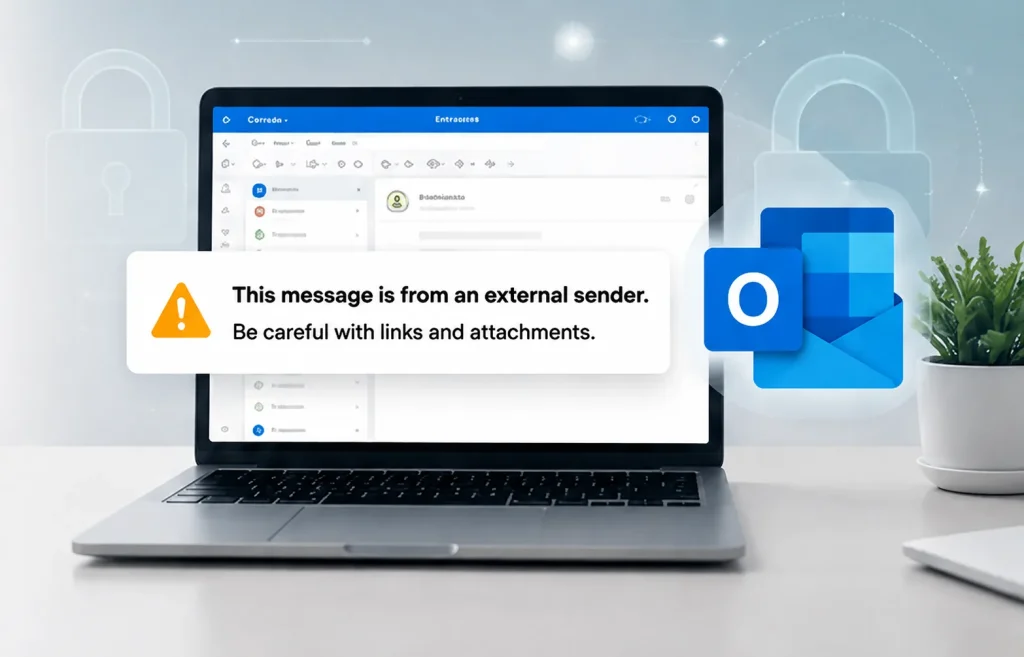
Add an External Sender Warning
One of the simplest ways to help staff identify suspicious emails is to clearly mark messages that come from outside your organisation.
This message is from an external sender.
Be careful with links and attachments.
An external sender warning gives staff a clear visual reminder to stop and check before clicking links, opening attachments, approving payments or replying with sensitive information.
Best used for:
- Fake CEO emails
- Supplier payment changes
- Microsoft password reset scams
- Payroll or finance requests
- Courier and delivery scams
Microsoft 365 Email Security Checklist
Enable MFA
Require multi-factor authentication for all users, especially admin and finance accounts.
Configure SPF, DKIM and DMARC
Help stop attackers from spoofing your business domain.
Use Anti-Phishing Protection
Detect impersonation attempts, suspicious senders and deceptive emails.
Scan Links and Attachments
Use Microsoft Defender features to help detect malicious links and files.
Monitor Suspicious Activity
Watch for unusual sign-ins, mailbox rules, forwarding changes and risky behaviour.
Block External Forwarding
Reduce the risk of attackers secretly forwarding emails from compromised mailboxes.
If you are unsure whether your domain is configured correctly, our Microsoft 365 support team can review your DNS and email authentication settings.
For higher-risk businesses, cyber security monitoring can help detect suspicious activity before it becomes a larger incident.
Email Security Is Also a Business Process Issue
Technical protection is important, but staff also need safe payment and approval processes. Many email scams succeed because they create urgency, impersonate trusted people or ask for bank details to be changed quickly.
Important: Never approve bank detail changes, urgent payments or sensitive requests by email alone. Always verify using a known phone number.
- Confirm payment changes by phone
- Use known contact details, not numbers in the email
- Require approval for large payments
- Train staff to report suspicious emails
- Review mailbox security regularly
Warning Signs of Microsoft 365 Email Compromise
- Emails sent from a staff member without their knowledge
- Unexpected password reset emails
- New inbox rules or forwarding settings
- Clients receiving strange emails from your domain
- Users repeatedly prompted for Microsoft sign-ins
- Unusual overseas login attempts
- Emails disappearing from inbox, sent items or deleted items
- Unfamiliar devices or sign-in locations appearing on the account
- Customers or suppliers receiving emails you did not send
If your personal email or social media accounts have already been hacked, this step-by-step email hacked recovery guide from CoreLab explains how to secure your email first, check for hidden rules, remove unauthorised access and recover connected social accounts.
Need Help Securing Your Microsoft 365 Email?
Intuitive Strategy can review your Microsoft 365 email security settings, check your domain authentication records, improve mailbox protection and help reduce the risk of phishing, spoofing and account compromise.
- External sender warning setup
- MFA and admin account review
- SPF, DKIM and DMARC checks
- Anti-phishing policy review
- Mailbox forwarding and rule checks
- Microsoft Defender configuration
- Monitored Detection & Response
- Staff security training
Frequently Asked Questions
What is an external sender warning in Microsoft 365?
An external sender warning is a visual notice that helps users identify emails that come from outside the organisation. It can help staff pause before clicking links, opening attachments or responding to suspicious requests.
Does Microsoft 365 stop phishing emails automatically?
Microsoft 365 includes built-in email protection, but many businesses benefit from additional configuration, stronger policies, MFA, domain authentication and ongoing monitoring.
What are SPF, DKIM and DMARC?
SPF, DKIM and DMARC are email authentication settings that help prove whether an email is authorised to come from your domain. They can reduce spoofing and improve email trust.
Why are Microsoft 365 mailboxes targeted?
Microsoft 365 mailboxes often contain invoices, client information, password resets and business conversations. Attackers target them because gaining access can lead to fraud, data theft and further phishing attacks.