DATA RECOVERY MELBOURNE

Data Recovery Melbourne

Data recovery support for accidentally deleted files and data on Windows or Mac computers that no longer start, where the storage drive itself remains healthy and readable.

If the drive is failed, corrupted, inaccessible or physically damaged, we can help identify that early and refer you to our specialist data recovery partner.

Hard Drive Data Recovery Melbourne

25+ years

Local technicians

7-day support

260+ reviews

On-site & remote

If the data matters, stop using the device

Continuing to use a computer after files have been deleted can overwrite recoverable data. If the storage device itself appears to be failing, repeated use can also make a specialist recovery more difficult.

Before doing anything else:

  • stop copying new files to the affected drive
  • avoid reinstalling Windows or macOS onto it
  • do not initialise or format a drive containing important data
  • if the drive is clicking, disappearing or cannot be read normally, stop and contact us before attempting further recovery

What We Can Recover

Recovery options depend on the device, the type of failure and what has happened since the data was lost.

Deleted Files

Basic recovery of files deleted accidentally where the storage device remains healthy and the data has not already been overwritten.

Non-Booting Windows PCs

Recover or copy important user data from Windows computers that no longer start where the storage drive itself remains readable.

Non-Booting Macs

Recover accessible user data from Mac systems that no longer boot where the underlying storage remains healthy and readable.

Healthy External Drives

Basic deleted-file recovery from external storage that is still detected and readable normally.

Data Before Reinstallation

Copy important user files before Windows or macOS is repaired or reinstalled when the drive itself remains healthy.

Specialist Recovery Referral

Failed, corrupted, inaccessible or physically damaged storage is referred to our specialist data recovery partner rather than handled in-house.

Data Recovery Services Melbourne

We start by identifying whether the problem appears to be logical, software-related or potentially physical before deciding how to proceed.

Deleted File Recovery

Attempt recovery of accidentally deleted documents, photos and other files from healthy, readable storage.

Windows Data Recovery

Recover accessible user data from a Windows computer that no longer boots when the storage device itself is healthy.

Mac Data Recovery

Copy accessible files from a non-booting Mac where the storage is still readable and has not suffered a hardware failure.

External Drive Deleted Files

Basic deleted-file recovery from external drives that remain detected, healthy and readable.

Pre-Reinstall Data Backup

Recover and copy important files before repairing or reinstalling an operating system.

Recovered Data Migration

Transfer successfully recovered files to replacement storage and help establish an appropriate backup afterwards.

Rated 5 Stars by Melbourne Customers

260+ customer reviews for IT support, computer repairs, Microsoft 365 and networking assistance.

EXCELLENT

Based on 260 reviews

Deleted File Recovery from Healthy Drives

Our in-house data recovery work is focused on relatively straightforward situations where the storage device itself is still operating normally.

Typical examples include:

  • files or folders deleted accidentally
  • important data that needs to be copied before an operating-system repair
  • data on a Windows or Mac computer that no longer boots, while the drive itself remains readable
  • basic deleted-file recovery from a healthy external drive

We do not perform in-house recovery from drives that are physically damaged, corrupted, inaccessible, clicking, not detected or otherwise failing.

Deleted-file recovery from SSDs can also be limited because SSD TRIM may permanently remove deleted data.

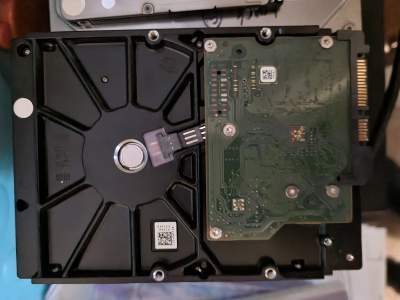
Desktop HDD replacement
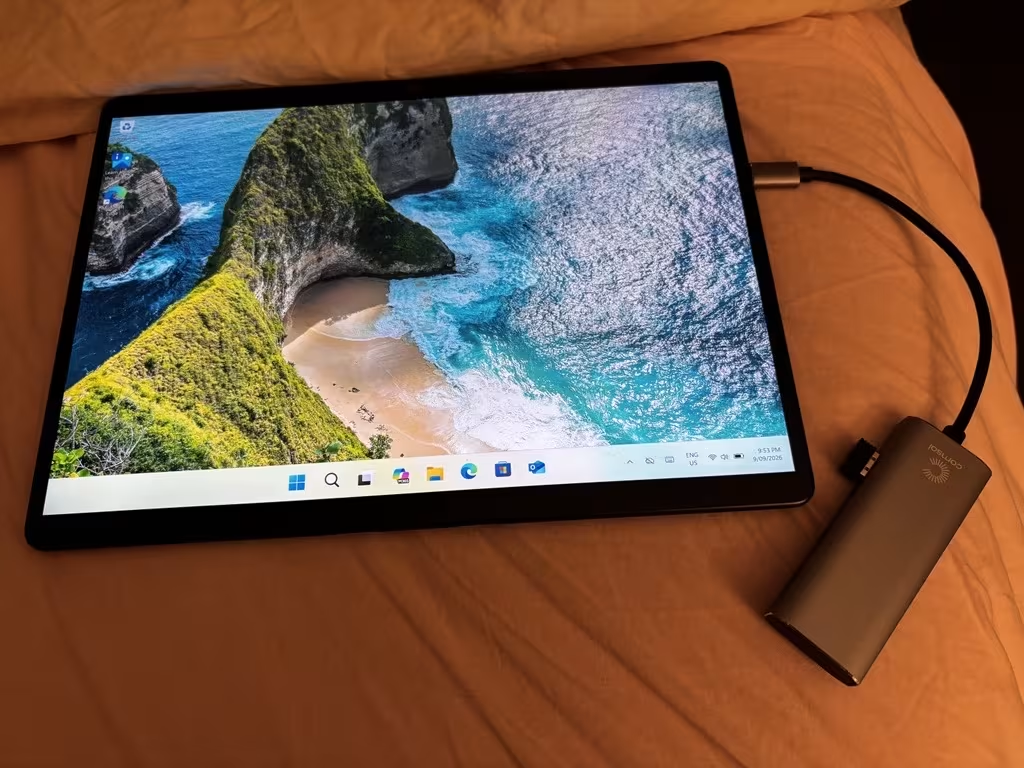
Microsoft Surface Pro Windows reinstallation and repair in Mentone

Windows & Mac System Data Recovery

A computer that no longer starts does not necessarily mean its files have been lost.

If the internal storage is still healthy and readable, we can often access the drive separately and copy important user data before repairing or reinstalling the operating system.

This is suitable for situations such as:

  • Windows or macOS boot failures
  • failed operating-system updates
  • damaged operating-system files
  • recovering user documents and photos before a reinstall
  • moving recovered files to replacement storage or a new computer

If the drive itself is inaccessible, corrupted or physically failing, we refer the recovery to a specialist rather than risk further data loss.

Failed, Corrupted or Inaccessible Storage

Some recovery jobs require specialist equipment and techniques that we do not perform in-house.

We refer these cases to Ontrack Data Recovery, including:

  • hard drives that click, grind or are not detected reliably
  • physically damaged or electronically failed storage
  • corrupted or inaccessible hard drives
  • inaccessible or corrupted SSD and NVMe storage
  • failed NAS or RAID storage
  • specialist recovery where ordinary file-recovery methods are not appropriate

We can help determine whether a problem is suitable for our basic recovery service or should go directly to the specialist.

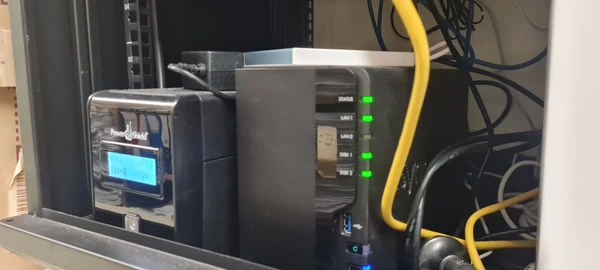
Business Synology NAS and protected IT infrastructure in Melbourne

Business Data Recovery Melbourne

We support Melbourne businesses where access to documents, project files, accounting data, email exports and shared storage can be business-critical.

Accounting & Finance

Legal

Dental & Healthcare

Professional Services

Education & ELC

Trades & Operations

What To Do After Data Loss

The safest next step depends on whether files were deleted, the operating system has failed, or the storage device itself has developed a fault.

Do

  • stop using the affected storage if important files were deleted
  • note exactly what happened before the problem appeared
  • keep recovery keys and passwords available
  • contact us before reinstalling or formatting the computer

Avoid

  • installing recovery software onto the affected drive itself
  • initialising or formatting storage containing important data
  • repeatedly powering a clicking or failing hard drive
  • attempting DIY repairs on inaccessible or physically damaged storage

Recent Data Recovery Services

Recent data recovery and storage-related work completed for Melbourne customers.

Data Recovery

20 Aug 2026 Setup of new Synology DS925+ NAS, migration of existing photographic data, re-pathing of Lightroom catalogs, check of boot issues with Mac Mini in Richmond.

27 Jul 2026 Deleted email recovery service in Mentone.

23 Jul 2026 Deleted data restoration on Synology NAS in Hampton.

8 Jul 2026 Data destruction services for Windows laptop and MacBook Air in Hampton.

15 Jun 2026 Remote desktop access from overseas, restored deleted connection RDP file in Mentone.

Data Recovery FAQs

Can you recover deleted files?

Yes, this is one of the main types of recovery we perform. The storage device needs to remain healthy and readable, and recovery depends on whether the deleted data has already been overwritten.

Often, yes. If Windows or macOS has failed but the underlying drive is still healthy and readable, we can usually assess the storage separately and copy accessible user data before the operating system is repaired or reinstalled.

We do not perform specialist recovery from physically failed, clicking, corrupted or inaccessible hard drives in-house. These jobs are referred to our specialist data recovery partner, Ontrack.

Basic deleted-file recovery may sometimes be possible where the SSD remains healthy and readable, but SSD TRIM can make deleted data unrecoverable. We do not perform in-house recovery from inaccessible, corrupted or failed SSD storage.

We can perform basic deleted-file recovery where the external storage remains healthy, detected and readable. If the device is inaccessible, corrupted or physically damaged, we refer it for specialist recovery.

We do not perform specialist NAS or RAID recovery in-house. Failed or corrupted NAS and RAID storage is referred to Ontrack for specialist assessment and recovery.

No. Our in-house service is intended for deleted files and data on otherwise healthy, readable storage. Corrupted, inaccessible or physically failing drives are referred to a specialist data recovery provider.

Stop using the affected storage, avoid reinstalling or formatting it, and do not repeatedly power up a drive that appears to be physically failing. Contact us with what happened and we can determine whether the job suits our basic recovery service or should be referred to a specialist.

Need Help Recovering Important Data?

Tell us what happened, what device or storage is affected and which files matter most. We’ll confirm whether the job suits our basic recovery service or needs specialist recovery through Ontrack.

Book an IT service Today
Google rating
4.9