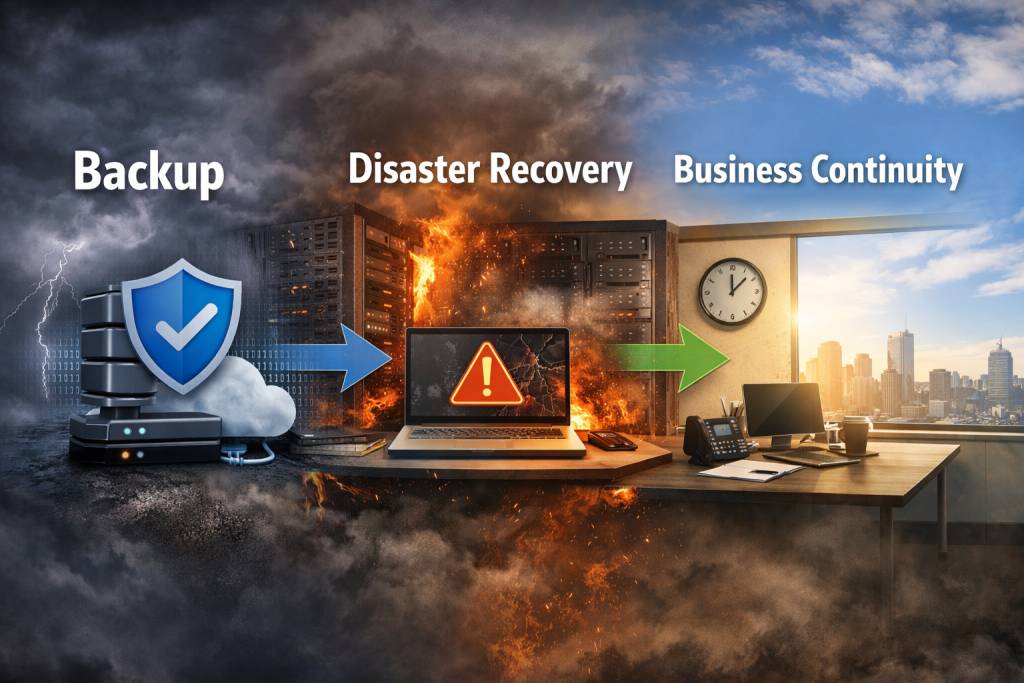
Many small business owners use the terms backup, disaster recovery and business continuity as if they mean the same thing. They are closely related, but they are not identical.
Understanding the difference matters because each one solves a different part of the problem when something goes wrong. A backup helps protect data. Disaster recovery helps restore systems and IT services. Business continuity is the broader plan for keeping the business operating during and after a disruption.
If your business only thinks about backup, you may still struggle with downtime, communication issues, inaccessible systems or unclear responsibilities when an incident occurs. That is why it helps to look at all three together.
Backup: protecting copies of your data
Backup is the process of creating additional copies of important data so it can be restored if the original is lost, corrupted, deleted or encrypted by malware. IBM describes backup and disaster recovery as using file copies to continue or resume operations after data loss, while CISA advises small and medium businesses to back up critical information so recovery is faster and less stressful.
In practical terms, backup can include things like:
- file backups
- server backups
- Microsoft 365 backups
- image-based backups of devices
- offsite or cloud backup copies
Backup answers the question: “Do we still have the data?”
That is essential, but it is only one piece of resilience.
Disaster recovery: restoring IT systems and services
Disaster recovery is about restoring the technology your business depends on after a serious disruption. IBM defines disaster recovery as a subset of business continuity planning focused on recovering IT infrastructure and systems after events such as malware, ransomware or other disasters.
That can include recovering:
- servers
- business applications
- Microsoft 365 access
- shared files
- network services
- phones, internet or critical platforms
Disaster recovery answers the question: “How do we get our systems back up and running?”
A business might have backups available, but still have a poor disaster recovery position if:
- nobody knows how to restore them
- recovery takes too long
- hardware replacement has not been planned
- internet, firewall or cloud access dependencies are overlooked
- the restore process has never been tested
In other words, backup gives you copies. Disaster recovery is the plan and process for turning those copies back into working business systems.
Business continuity: keeping the business operating
Business continuity is the broader strategy for maintaining or restoring critical business functions during and after a disruption. NIST describes contingency planning as covering disaster response, backup operations and post-disaster recovery to ensure the availability of critical resources and facilitate continuity of operations. IBM likewise describes business continuity planning as an expansive approach focused on returning to normal business functions after a disaster.
Business continuity goes beyond IT.
It considers questions like:
- how staff will keep working if systems are unavailable
- how customers will be communicated with
- which systems are most critical
- what manual workarounds are possible
- who is responsible for decisions during an outage
- how long the business can tolerate interruption
Business continuity answers the question: “How does the business continue to function?”
That is why a business continuity plan is wider than a backup plan or a disaster recovery plan. It includes people, process, communication, priorities and operational workarounds, not just technology.
A simple way to think about the difference
A useful way to explain it is:
- Backup = your copies of important data
- Disaster recovery = how you restore systems and IT operations
- Business continuity = how you keep the business running overall
They work together, but they are not interchangeable. A company can have backups and still suffer major downtime. A company can have a disaster recovery document and still struggle if staff do not know how to communicate with clients or operate without key systems. And a business continuity plan will be weak if there is no reliable backup or recovery capability behind it.
Why small businesses often confuse them
Small businesses are busy, so these areas often get compressed into one vague idea of “we’ve got backup sorted.” In reality, many businesses only have part of the picture.
Common examples include:
files are synced to the cloud, but not independently backed up
backups exist, but no restore test has been done
staff know where files are stored, but not what to do during a major outage
internet or power failure has not been considered
key business systems depend on one person or one device
Microsoft 365 data is assumed to be fully covered without checking recovery expectations
CISA and NIST both emphasise planning, response and recovery as managed activities rather than one-off checkboxes, and CISA specifically advises regular recovery exercises to test continuity and backup or failover systems.
A real-world example
Imagine a staff member clicks a malicious link and ransomware spreads through part of the business.
Backup matters because you need clean copies of your files and systems.
Disaster recovery matters because you need to know how to isolate affected systems, rebuild devices, restore data and get core IT services back online.
Business continuity matters because the business still needs to serve customers, communicate with staff, prioritise urgent work and keep operations moving while recovery is underway.
That is why mature planning does not stop at backup alone.
What should a small business have?
At a practical level, most small businesses should have:
- reliable backups of critical business data
- at least a basic disaster recovery process for restoring key systems
- a business continuity plan that identifies critical functions, priorities and communication steps
This does not need to be overcomplicated. For many small businesses, the first step is simply documenting:
- what systems are critical
- where the data is
- how it is backed up
- how quickly it needs to be restored
- who is responsible
- what the business
- will do if systems are unavailable for several hours or days
That approach aligns with the broader guidance from NIST and CISA that continuity and recovery planning should identify priorities, recovery needs and managed response processes.
Final thoughts
Backup, disaster recovery and business continuity are all important, but they do different jobs.
Backup protects the data.
Disaster recovery restores the technology.
Business continuity keeps the organisation functioning.
If your business only has one of those pieces in place, there may still be major gaps when something goes wrong. Reviewing all three together can help reduce downtime, improve resilience and make recovery far less stressful when a disruption happens.
Need help reviewing backup, disaster recovery or business continuity for your business?
Explore our Managed IT Services, Cyber Security Services and Microsoft 365 Support pages.